
Here is a short tutorial on how to give a Facebook user Admin permissions when you are the page owner.
- Log into Facebook account that has Admin permissions to page
- In top right corner click arrow.

- Click Page you want to give permissions to.
- In top right corner click “Settings“.

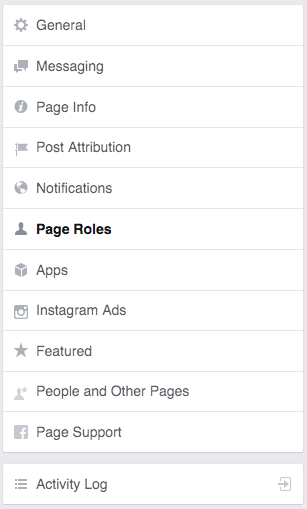
- Click “Page Roles” on the left sidebar.
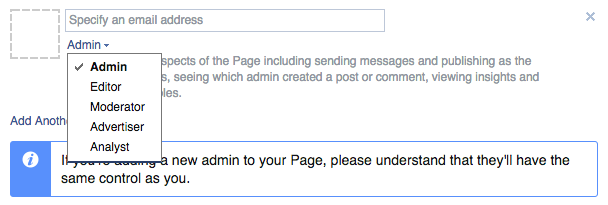
- Add in email address that the person is using to sign into Facebook that you want to add admin list and select “Admin”.
- Click “Save Changes”. That’s it the should now have admin permissions.
